
THE IDEAL TRAINING CENTER
Your team.
Their confidence.
Your ideal shift.
Great service starts with a team that feels ready. Learn the everyday essentials of Shift4 Dine, one clear step at a time.
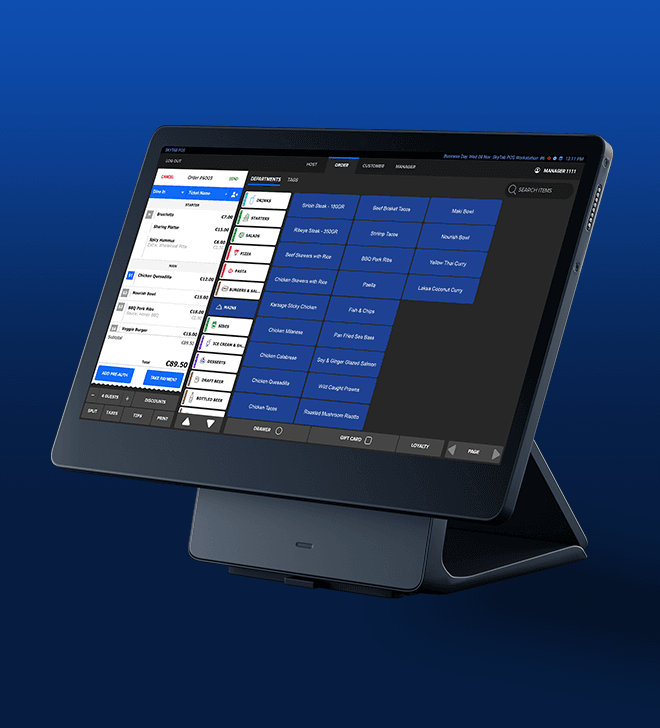
A CLEAR PATH THROUGH YOUR SHIFT
01 / LEARNFind your starting point.
Watch the complete guide, or jump to the part of your shift you need right now.
WATCH. PAUSE. PUT IT INTO PRACTICE.
02 / WATCHYour next great shift
starts here.
Follow the highlighted controls. Pause whenever you need, and practice with your trainer.
Screens and available features vary by location, permissions, and software version. Use your restaurant’s policies and practice with your trainer before serving guests.
03 / MAKE IT SECOND NATURE
One order.
All the way through.
Build confidence by completing a practice order with your trainer. Check off each step together.
A personal practice aid. Your manager confirms readiness for service.
04 / KEEP THE ANSWERS CLOSE
RESOURCESA little extra support.
Revisit the transcript, check the official guides, or get help from your local Ideal team.
Read the complete training transcript +
Official guides & further training
Prepared by Ideal Point of Sale using captured training screens and Shift4’s published guides. Menus, hardware, permissions, and screen labels vary by location and software version. This quick start supports your location’s hands-on training; it does not replace a complete installer handoff.
Shift4 Dine Merchant Training — Quick Reference Guide
- Power on the Elys L1400 Terminal for Shift4 Dine
- Replace Paper in the Printer on the Workstation for Shift4 Dine
- Power On/Off the Printer for Shift4 Dine
- Log In/Clock in to the Workstation on Shift4 Dine
- Go on Break and Return From Break on Shift4 Dine
- Manage Host Mode, Wait List and Reservations on Shift4 Dine
- Use the Kitchen Display System All Day Item Focus Feature
- Recall Last Ticket on the Kitchen Display System
- View and Manage Tickets in Shift4 Dine
- Transfer a Ticket to Another User on Shift4 Dine
- Pre-Authorizations and Bar Tabs on Shift4 Dine and Shift4 Duo
- Accept a Partial Payment on the Workstation for Shift4 Dine
- Take a Payment on Shift4 Dine
- Void a Payment on Shift4 Dine
- Process Refunds on Shift4 Dine
- Gift Card Operations and Entry Methods on Shift4 Dine
- End of Day - Adjust Tips on Shift4 Dine
- Finalize Tips Immediately on Shift4 Dine
- Manage Cash Drawers in Shift4 Dine
- Log Out/Clock Out on the Workstation for Shift4 Dine
- End of Day - Count and Close Drawers/Banks on Shift4 Dine
- Create or Edit a Job or Employee on the Workstation for Shift4 Dine
- Menu Settings on the Workstation for Shift4 Dine
- Log in to the Shift4 Customer Hub
- Set up Dashboard Widgets in Shift4 Dine Customer Hub
- Run/Subscribe to Reports in Shift4 Dine Customer Hub
- Install and Connect the TP-Link Router for Shift4 Dine
- Remote Support Access on Shift4 Dine
- Reboot the Terminal for Shift4 Dine
YOUR LOCAL TEAM IS HERE TO HELP
Questions during a shift?
Start with Ideal.
Have the device, ticket, and a short description of the issue ready.